
Monizze Pay — Pay with your phone.
Your card can think about its new life.
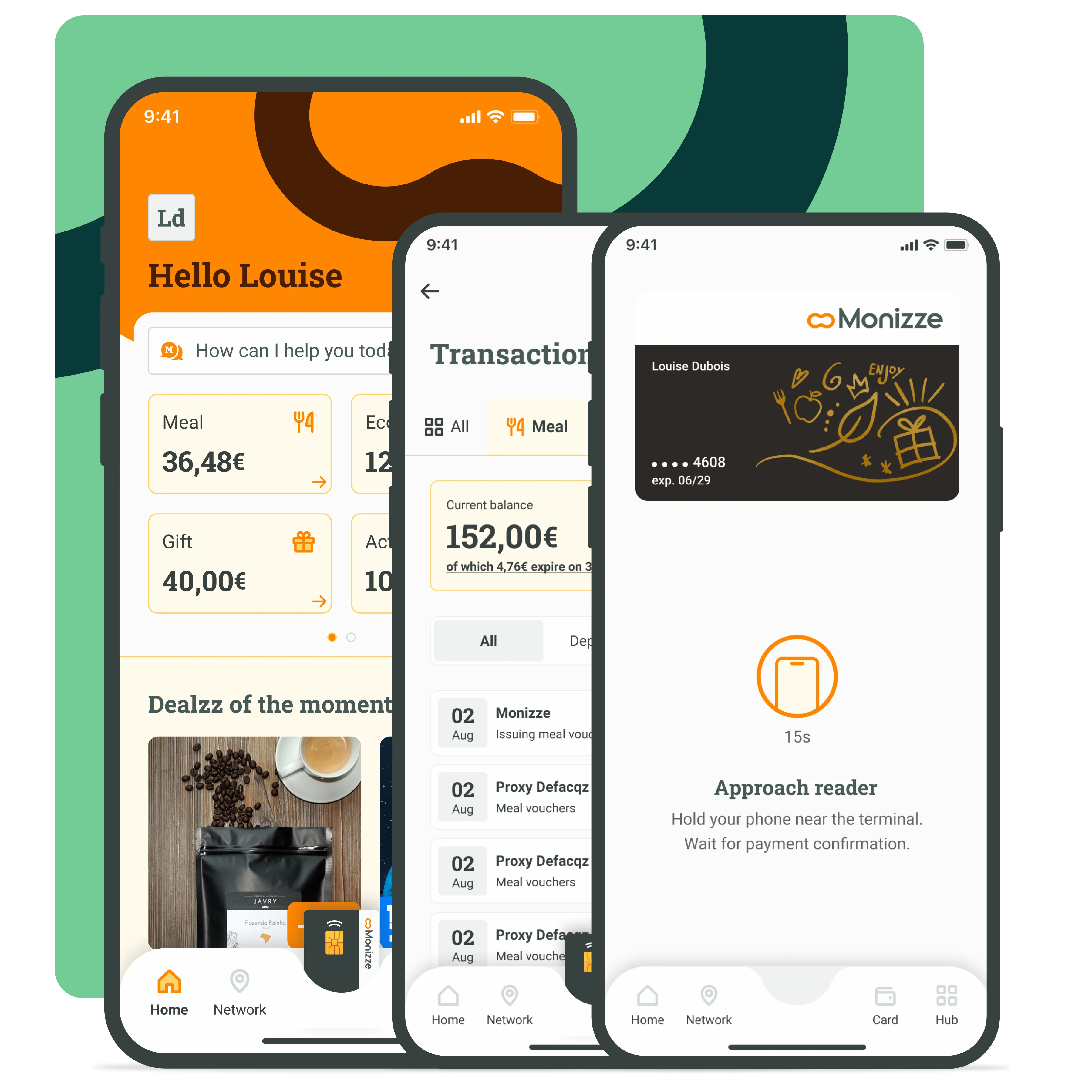
Activate Monizze Pay and pay across the entire Monizze network. Without taking out your card, without a PIN, without any hassle.
How does it work?
Your phone becomes your Monizze card.
No more searching for your card. No stress if it's been left at home. Monizze Pay is the freedom to pay with what's always in your pocket: your phone.
Monizze Pay works exactly like your physical card, directly from your Monizze app.
If it works with a card, it works with a phone.
- Meal vouchers, eco-cheques and gift vouchers
- In all affiliated Monizze shops and restaurants
- No PIN. Your app handles it (code or biometrics)
- Pay even without an internet connection
Activation guide
Activate Monizze Pay in 1 minute
Requirements
- iOS 17.4 or Android v8 or higher
- NFC enabled on your phone
- Monizze app installed and up to date
- Authentication set up (code or Face ID / fingerprint)
Open your Monizze app
Go to the Card page or follow the invitation to activate Monizze Pay on your home screen.
Activate Monizze Pay
Click on "Monizze Pay" and activate. Accept the general terms and conditions and wait a few seconds for confirmation. If not already done, the app will prompt you to set up authentication via Face ID, fingerprint or code.
Done!
You can now pay with your phone across the entire Monizze network.
Not Google Pay or Apple Pay
In store
How to pay in store?
- 1Tell the cashier which type of voucher you want to use
- 2Open your Monizze app (code or biometrics)
- 3Tap the image of your card in the bottom menu (iPhone users: then tap "Pay" when you're ready)
- 4Hold your phone near the payment terminal
- 5Confirmation screen: done
No double-click
Android tip
iOS tip
Good to know
Not Google Pay. Not Apple Pay. Just Monizze.
A Belgian solution, designed for the entire ecosystem.
We could have gone through Google Pay or Apple Pay, which generally work via Visa and Mastercard networks. But we preferred to develop our own system: Monizze Pay.
Monizze Pay works via our Belgian payment network. This choice is our way of meeting our users' needs while protecting merchants.
FAQ
Frequently asked questions
Is Monizze Pay free?
Is Monizze Pay free?
Do I need to keep my physical card?
Do I need to keep my physical card?
Is my phone compatible?
Is my phone compatible?
Can I pay offline?
Can I pay offline?
What if it doesn't work?
What if it doesn't work?

Ready to pay with your phone?
Download the Monizze app, update it and activate Monizze Pay in under a minute.